- Write a RESTful API with Ballerina
- Write a gRPC service with Ballerina
- Write a GraphQL API with Ballerina
- Work with data using queries in Ballerina
- Build a data service in Ballerina
- Build a Change Data Capture (CDC) service in Ballerina
- Work with Large Language Models (LLMs) using natural expressions
- Deploy Ballerina on Kubernetes
- Manage data persistence with bal persist
- Create your first connector with Ballerina
- Write a workflow with Ballerina
- Write a workflow with a human task
- Handle errors and replay failed activities in workflows
Set up JFrog Artifactory as a private repository to host your own Ballerina packages, or as a caching proxy for Ballerina Central.
Configure a private repository
If you're using Artifactory to host your own private Ballerina packages, create it as a Generic repository with a Maven layout instead of a Maven-type repository, to support vulnerability scanning with JFrog Xray.
Follow the steps below to set up a Generic repository in Artifactory.
-
Create a local repository
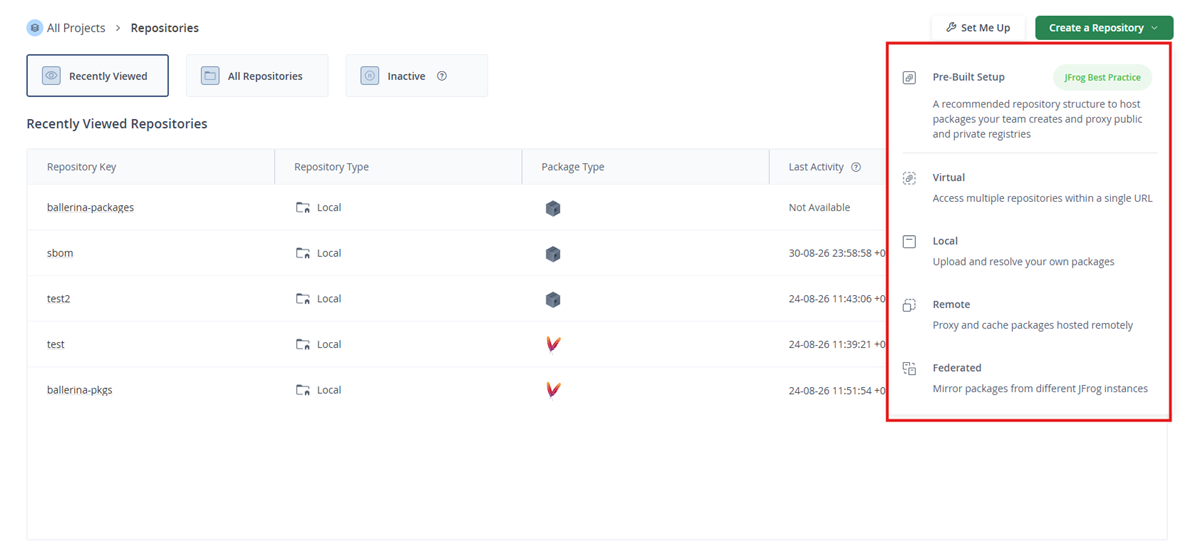
Click Create a Repository → Choose a Repository Type
-
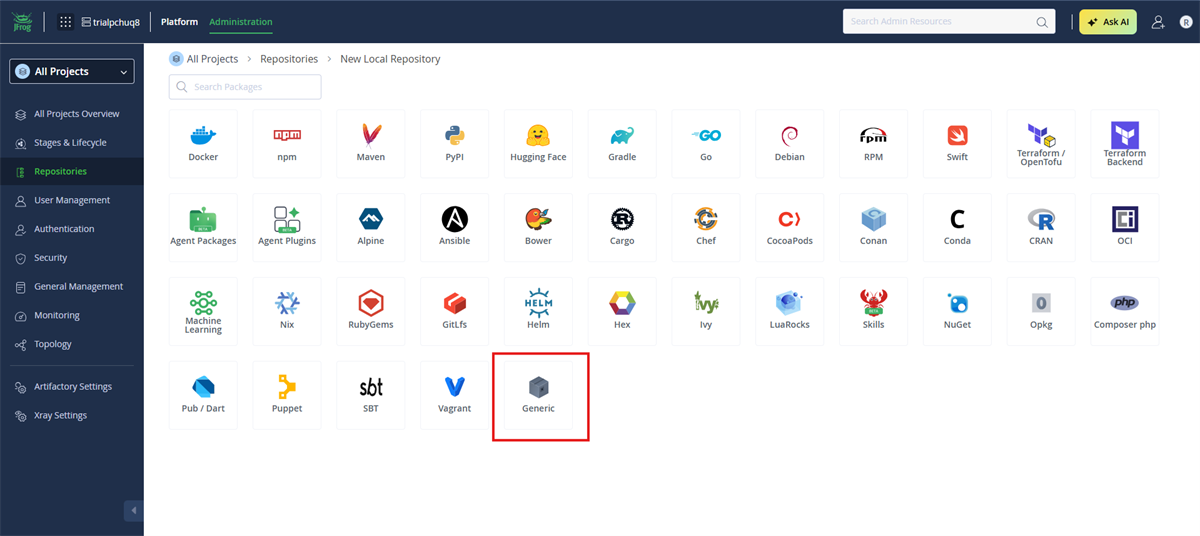
Select the Generic package type
From the package type grid, select Generic.
-
Configure the repository key and layout
Set the Repository Key (this becomes part of the repository's base URL), and set Repository Layout to
maven-2-default.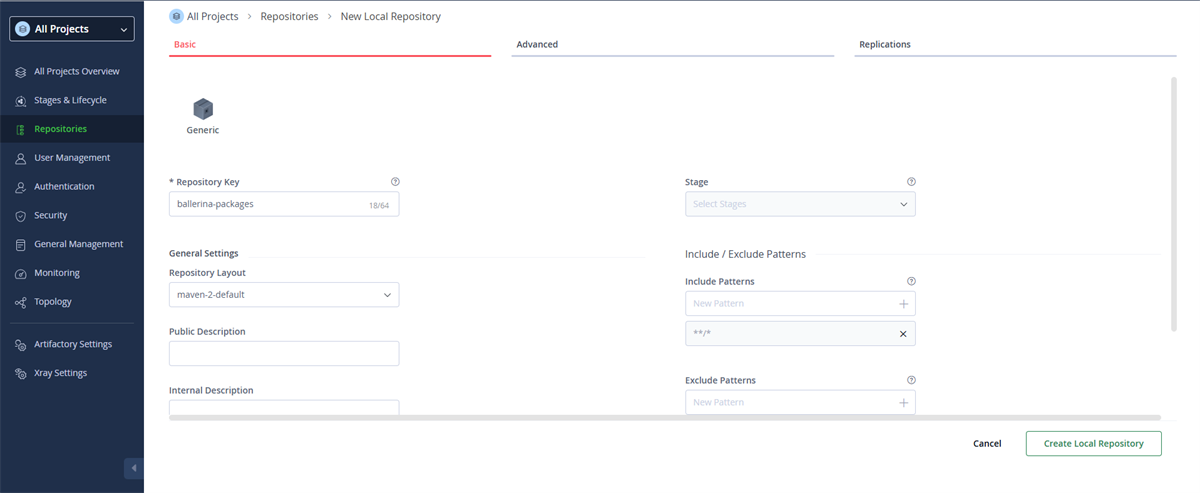
-
Verify Xray indexing is enabled to enable vulnerability scanning
Scroll down to the
JFrog Xray Integrationsection and confirm thatEnable Indexing In Xrayis turned on, since Xray only scans repositories that are indexed. Then, clickCreate Local Repository.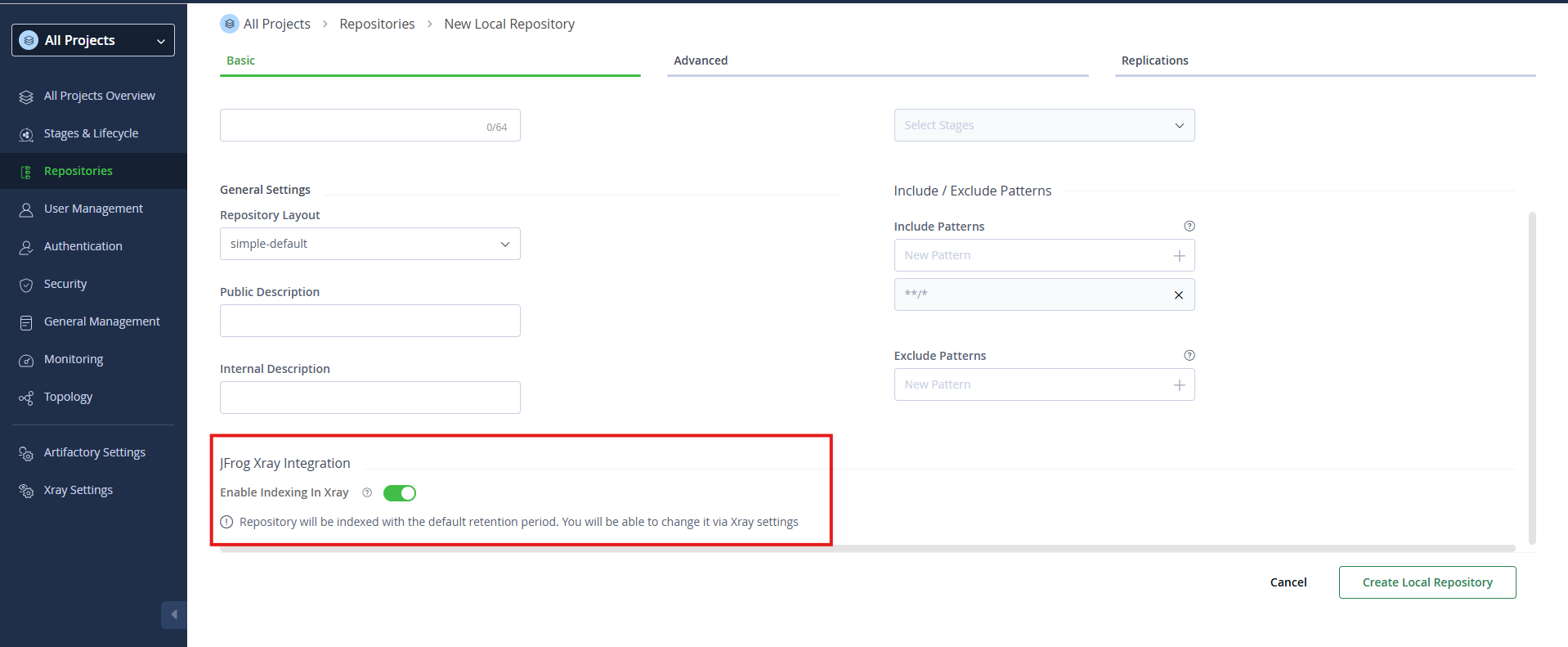
Configure and use the repository
Define the repository in the <USER_HOME>/.ballerina/Settings.toml file, using the base URL you copied above.
[[repository.maven]] id = "artifactory_1" # This ID is used when pushing/pulling packages url = "https://<artifactory-host>/artifactory/<repository-key>" username = "<username>" accesstoken = "<access-token>"
Generate the Ballerina archive and publish it to the repository.
$ bal pack $ bal push --repository artifactory_1
For more information on defining custom repositories, publishing packages, and using a published package as a dependency, see Use custom repositories for package management.
Scan packages in the repository for vulnerabilities
Note: Only supported for a private repository set up as described above — not for a repository used to proxy Ballerina Central.
Starting from the Ballerina distribution 2201.13.6, bal pack generates a CycloneDX Software Bill of Materials (SBOM) for the package, alongside the .bala file. bal push automatically publishes this SBOM alongside the bala as a raw file named <package-name>-<version>.cdx.json, at the same repository location the bala itself is deployed to. See Publish a Ballerina package to the custom repository for the bal push steps.
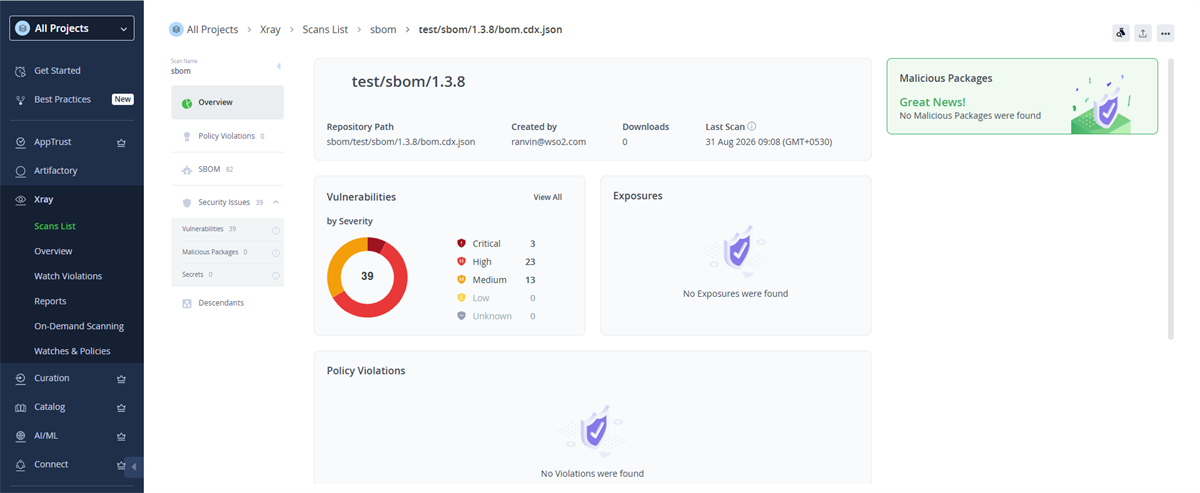
If the repository was set up as a Generic repository with Xray indexing enabled (see above), Xray scans this published SBOM automatically and shows the security issues found, along with the software components listed in the SBOM.
Configure a proxy repository
Follow the steps below to configure a Maven remote repository in JFrog Artifactory that proxies Ballerina Central.
-
Log in to your Artifactory instance as an administrator.
-
Navigate to Administration → Repositories and click Create a Repository, then select Remote.
-
Select Maven as the package type.
-
Fill in the repository details.
Field Value Repository Key A unique key for the repository (e.g., ballerina-central-remote)URL https://api.central.ballerina.io/2.0/maven -
Under the Advanced tab, apply the following settings.
-
Block Mismatching MIME Types — Ensure this is disabled. Ballerina Central serves
.balaartifacts that do not conform to standard Maven MIME types. Enabling this option will cause artifact retrieval to fail. -
Bypass HEAD Requests — Ensure this is enabled. Ballerina Central does not fully support HTTP
HEADrequests for all artifact paths. Enabling this bypass ensures that Artifactory falls back to aGETrequest when aHEADrequest fails, preventing resolution errors. -
Metadata Retrieval Cache Period — Set this to a low value such as
60seconds. This controls how long Artifactory caches repository metadata before re-fetching it from the remote. A lower value ensures that newly published packages in Ballerina Central become available in your proxy repository sooner.Note: Setting Metadata Retrieval Cache Period to
0disables caching entirely and fetches metadata on every request, which may impact performance. A value between60and300seconds is a reasonable balance between freshness and performance.
-
-
Click Save & Finish to create the repository.
-
Copy the repository URL from the Artifacts view. You will use it when configuring the Ballerina client to use the proxy.